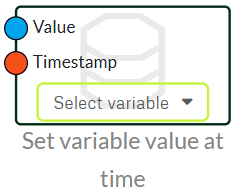
To get data into your dashboard, you need a set variable node. The set variable node passes the data that comes in on the value input to your dashboard variable. It can automatically calculate what time the data came in, as it takes historical data and saves what time it came in.
We advise against using this node for things that need to be used in different flows. Especially if it's something that needs to update quickly.
Set Variable at Time
If you want to send data to your dashboard, but your data is not sent in live, for example, you should use a Set variable value at time. It is useful on e.g. Our people counter that sends data once a day. You will therefore be able to use the node to tell what time the data should be posted to your dashboard.
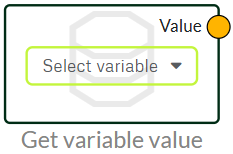
Get Variable
If you want to send data from your dashboard into your flow, you can use a get variable. It can be used with our value selector and on/off from our dashboard and can output a value. It can be useful if you want to control something where you provide an input from the dashboard.
We advise against using this node for things that need to be used in different flows. Especially if it's something that needs to update quickly.
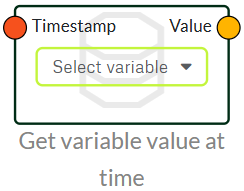
Get Variable at Time
If you want to pull historical data out of a variable again, you can use this node. You put the time you want to get a value out in timestamp, and then you get the value out of your variable again on value.
It can be used to bring historical data back into your flow.
Last updated
January 12, 2026
We've detected you might be speaking a different language. Do you want to change to:



 Dansk
Dansk  English