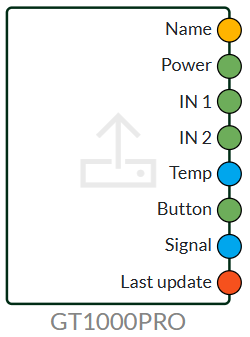
The device's IN port is where you pull data from (the device's measurement data).
For example, you can use the name to place data in your Dashboard and create columns if you have multiple devices in the same Dashboard.
When working with the IN port, pay attention to what is written in the product manual.
'Button 'refers to the physical button on the box that you can use in your flow. Signal shows the signal strength (typically between 0 and 30). Last Update shows the time of the last update.
Devices OUT
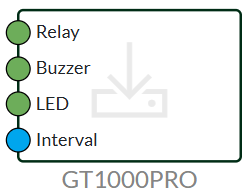
On Devices OUT there are several options - which ones depend on the product.
If the device has 'buzzer' or 'LED' functions, you can for example stop the buzzer and activate the LED via your flow when a button is pressed.
Last updated
October 9, 2025
We've detected you might be speaking a different language. Do you want to change to:

 Dansk
Dansk  English