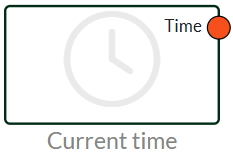
Current time can be used to get the current time into the system.
It can be combined with many different nodes and can be used to timestamp notifications and more.
The node is very simple and only provides an output with a timestamp at this time.
The node is based on Danish time and has a built-in automatic summer/winter time adjustment.
Note that it does not update live in the flow, but typically only once a minute. The data coming from the current time is processed, but this is to avoid updating the flow too often.
Add Time
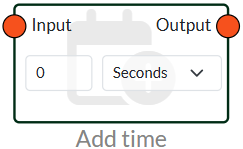
Add time can be used to create an offset, e.g. add an hour or subtract an hour.
You can add by typing a positive number and end by choosing between seconds, minutes, hours or days.
You can also subtract time by putting a - before the number.
Before
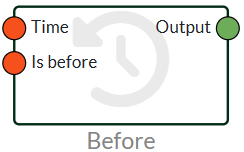
Before can give a boolean output if the time is before a selected time. It returns true if the time is before and false if the time is after.
There are 2 connectors on the node, one connector for time and one for is before. For example, you can set a current time to time and the timestamp from your device to is before. Then you will get a true if the time is before.
Anus
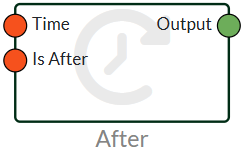
The after node works in the same way as the before node and can be used to tell if the time is after a selected time. It returns a false if the time is not after and a true if the time is after.
There are 2 connectors on the node, one connector for time and one for is after. For example, you can set a current time to time and the timestamp from your device to is after. Then you will get a true if the time is after.
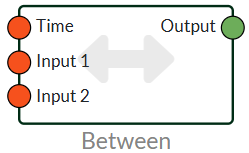
Between
Between can be used to see if the time is between 2 inputs, if it is, it gives a boolean output with either true or false. You enter the current time with a current time on the hour and then you can use a value node to create a timestamp for input 1 and input 2.
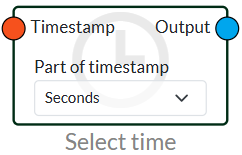
Select Time
Select time can be used to select a part of a timestamp, as output it will generate a value, and can be used with greater than, less than and is equal, if you want something to trigger at a specific time day or month.
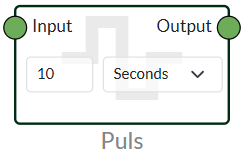
Pulse
Pulse can be used to give a short pulse if a signal goes true. For example, it can be used with our GT-1000 PRO which has a buzzer output if you want to create a test flow where pressing the button briefly pulses the node.
Sun Info
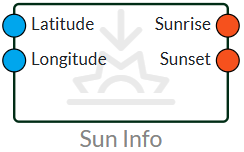
Our sun info node can be used to provide a timestamp on sunrise and sunset.
The node is perfect for controlling outdoor lighting and can easily replace a twilight relay.
The node only needs to have latitude and longitude in the input, and thus provides a timestamp that you can trigger with select time.
You can find latitude and longitude on the following.
Longitude and latitude must be inserted via a value node.
Delay
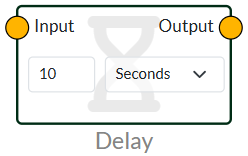
The delay node delays a value or signal by a specified amount of time.
This node can be used to Postpone an action in a flow, e.g. if an alarm needs to be activated first 10 seconds after an incident or something has to go through before something else starts.
The Delay node can take all kinds of values inside the Flow.
Round Time
With roundtime, you'll find both the start and end times for the parameter you choose. Using this node, you can easily find the end of the day for, for example, a month. This node is used a lot to create resets in flows where something needs to be counted.
Handler reset flow
In this slide, you can see how to set up a “handler” flow for resetting per hour, day, week, month and year. This will all happen in a single flow, where you can then use variables to reset in other flows. This reduces the number of nodes, as well as how many things you need to keep track of.
Last updated
21 May 2026
We've detected you might be speaking a different language. Do you want to change to:


 Dansk
Dansk  English