
Number
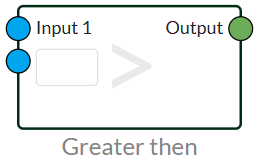
Greater Than
The Greater Than node can be used to look at whether a value is higher than another value. For example, it can be useful if you want to give an alarm if the temperature is greater than. The node has a boolean output that gives the value TRUE or FALSE depending on whether the input value is greater than.
Another node can also be inserted in INPUT 2. So it can take a dynamic value. For example, it could be two values that need to be compared to each other.
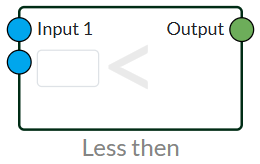
Lesser Than
The Less Than node can be used to see if a value is lower than another value. For example, it can be useful if you want to give an alarm if the temperature is lower than. The node has a boolean output that gives the value TRUE or FALSE depending on whether the input value is lower than.
Another node can also be inserted in INPUT 2. So it can take a dynamic value. For example, it could be two values that need to be compared to each other.
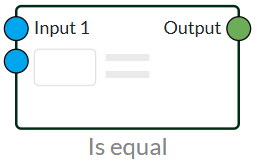
Is Equal
The Is Equal node can be used to see if one value is equal to another value. For example, it can be useful if you want to give an alarm if the temperature is the same. The node has a boolean output that gives the value TRUE or FALSE depending on whether the input value is equal to.
Another node can also be inserted in INPUT 2. So it can take a dynamic value. For example, it could be two values that need to be compared to each other.
Equation
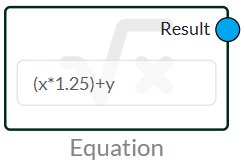
The Equation node can be used as a mathematical formula.
Variables can be created by inserting a letter and it will give an input. So, for example, you can create x+y and you will get the value inserted in X added to the y value in your result.
It can be used to calculate anything that can be entered on a standard calculator. Brackets can also be used if you want this value to be calculated first.
Now supports the use of cos(degrees), sin(degrees), tan(degrees), sqrt(x), log(x), pow(x,x), exp(x), sum(x,x...), avg(x,x...), min(x,x...), max(x,x...), if((1=1, 1,0).
Function Examples
standard
					a + b
a - b
a * b
a ** b
a / b
a / ( a * b )
...
cos(degrees)
a / cos(b)
sin(degrees)
a / sin(b)</xmp
tan(degrees)
a / tan(b)
sqrt(x)
sqrt(a)
log(x)
log(10)</xmp
pow(x,x)
pow(a, b)
exp(x)
exp(a)
sum(x,x..)
sum(a, b, c, d, e, f,...)
avg((x,x..))
avg(a, b, c, d, e, f,...)
min(x,x..)
min(a, b, c, d, e, f,...)
max(x,x..)
max(a, b, c, d, e, f,...)
if( a = 10, 1 , 0)
if ( a = 10, 1, 0 )
if (( a/2 )*2 = 10, 1, 0 )
if ( procVal = loadID, 1, 0 )
if ( a = b, a, b )
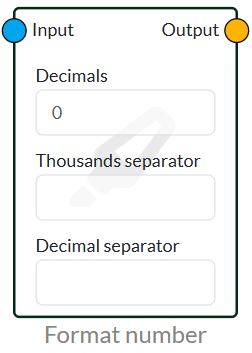
Format Number
Format number is used if you want to correct the formatting of a value.
This could be, for example, with our pressure transmitter that you don't want a lot of values in the big picture in longer decimals. You can then format the number so that it rounds up and add a definable separator for thousands and decimals.
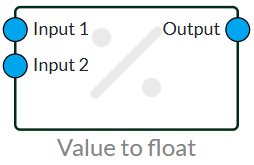
Value to Float
This node is used with Modbus
Value to float convert 2 integer values to a float 32 number.
 Dansk
Dansk  English