Concept
Template

1019 VA alarm - battery

This is a quick template for 1019 VA Alarm on battery. I will only cover flows in this case - as well as our new Alert system and Annotations. Alert system and annotations are not necessary.

The device itself works a little differently than our other GSM modules. It only updates if there is a change or within a certain interval. This means that if you want to change something - you have to either set an alarm or wait until the next interval.

Setting up the device

First of all, the device must be set up inside the app.gsmcloud.com. On the side of the box you will find a 15-digit number, which is the IMEI number you need to add the device.

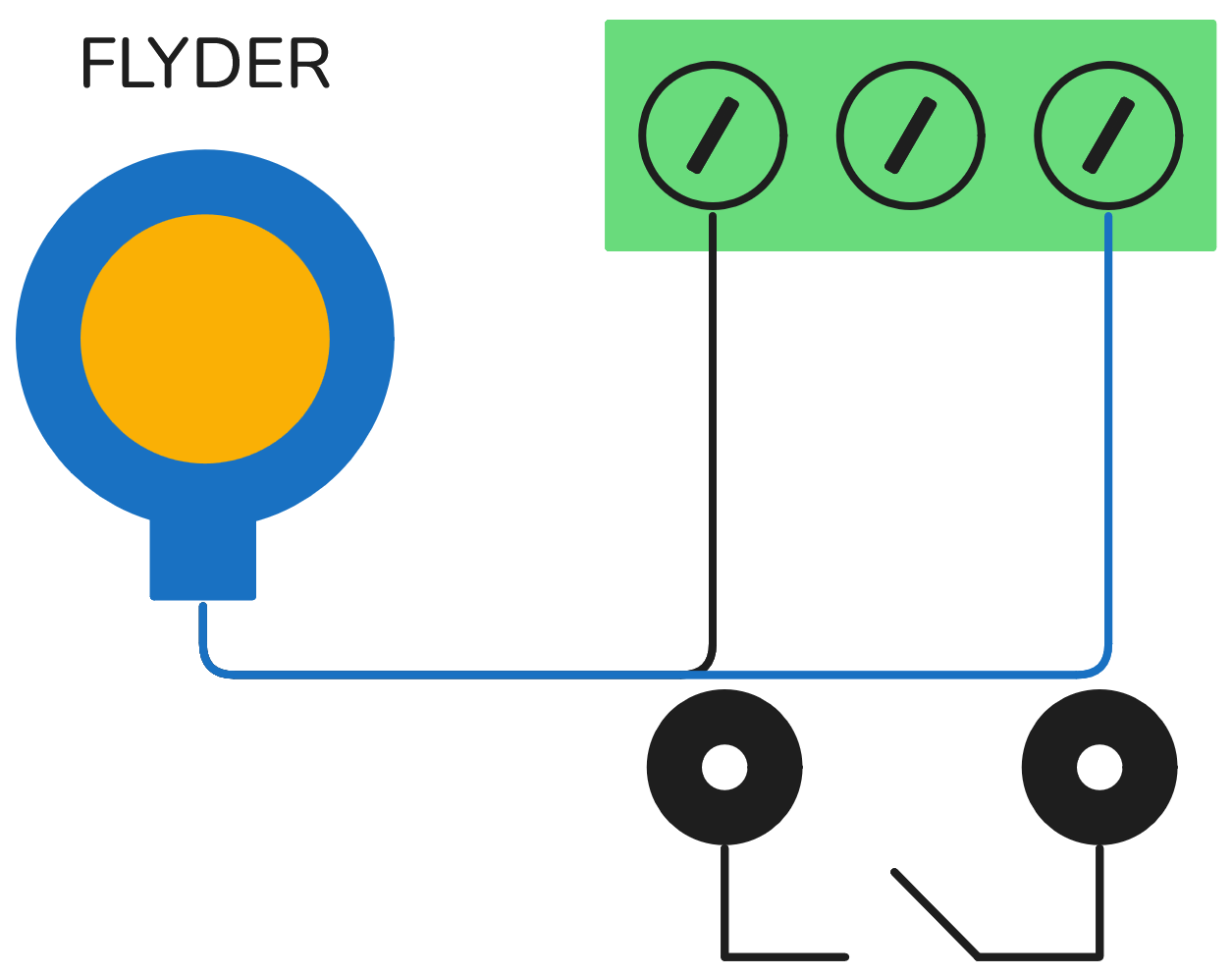
Connecting the float

We only use the black and blue cable in our connections. The black cable should be attached to the left and our blue to the right. Try pulling it a little to see if they are tight.
Flow Setup

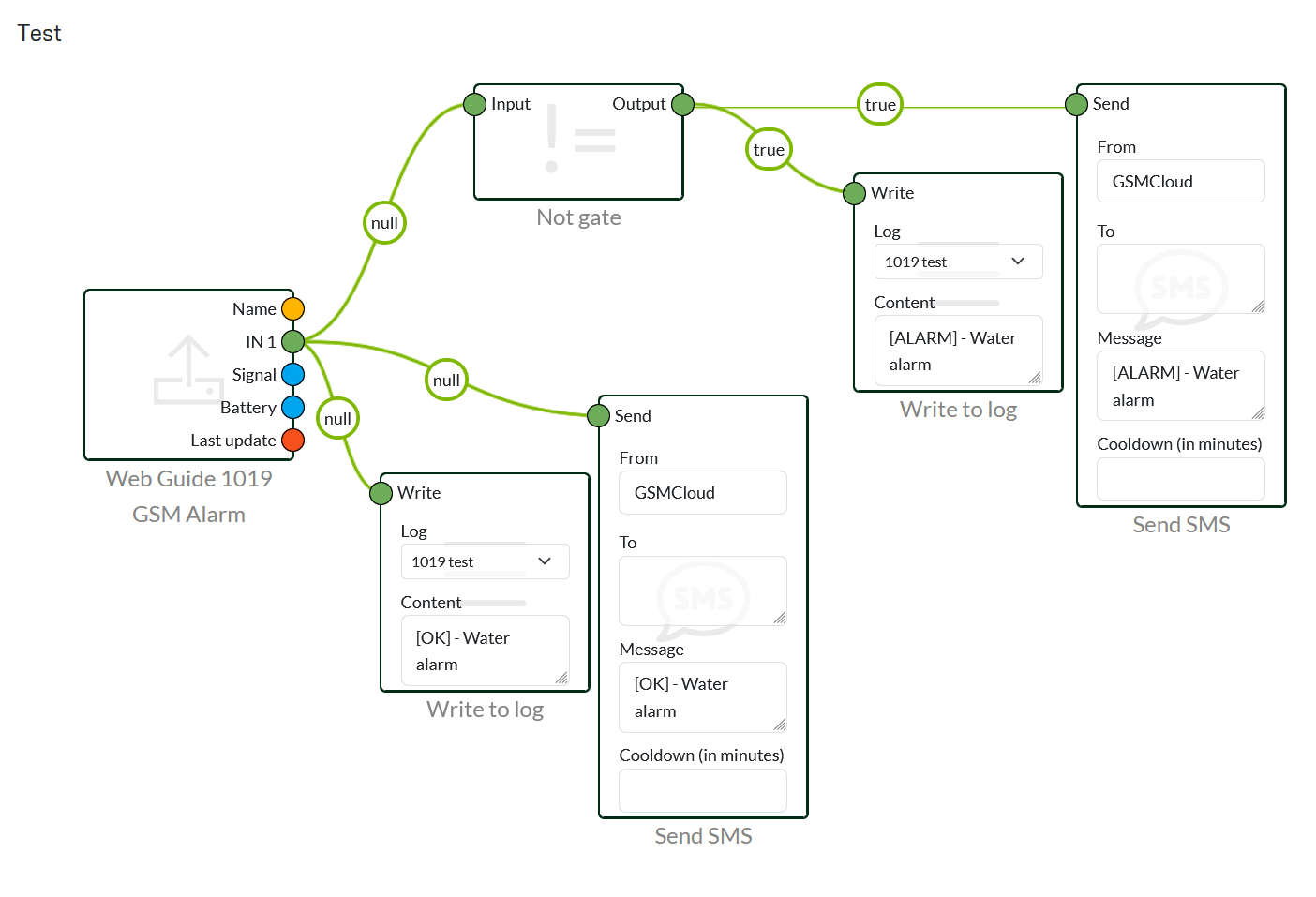
The 1019's flow is a very simple one, as it doesn't have to do a whole lot. You can, of course, do a lot of extra things to it in terms of interval, for example, using a match node where it can control the interval based on different days of the week.

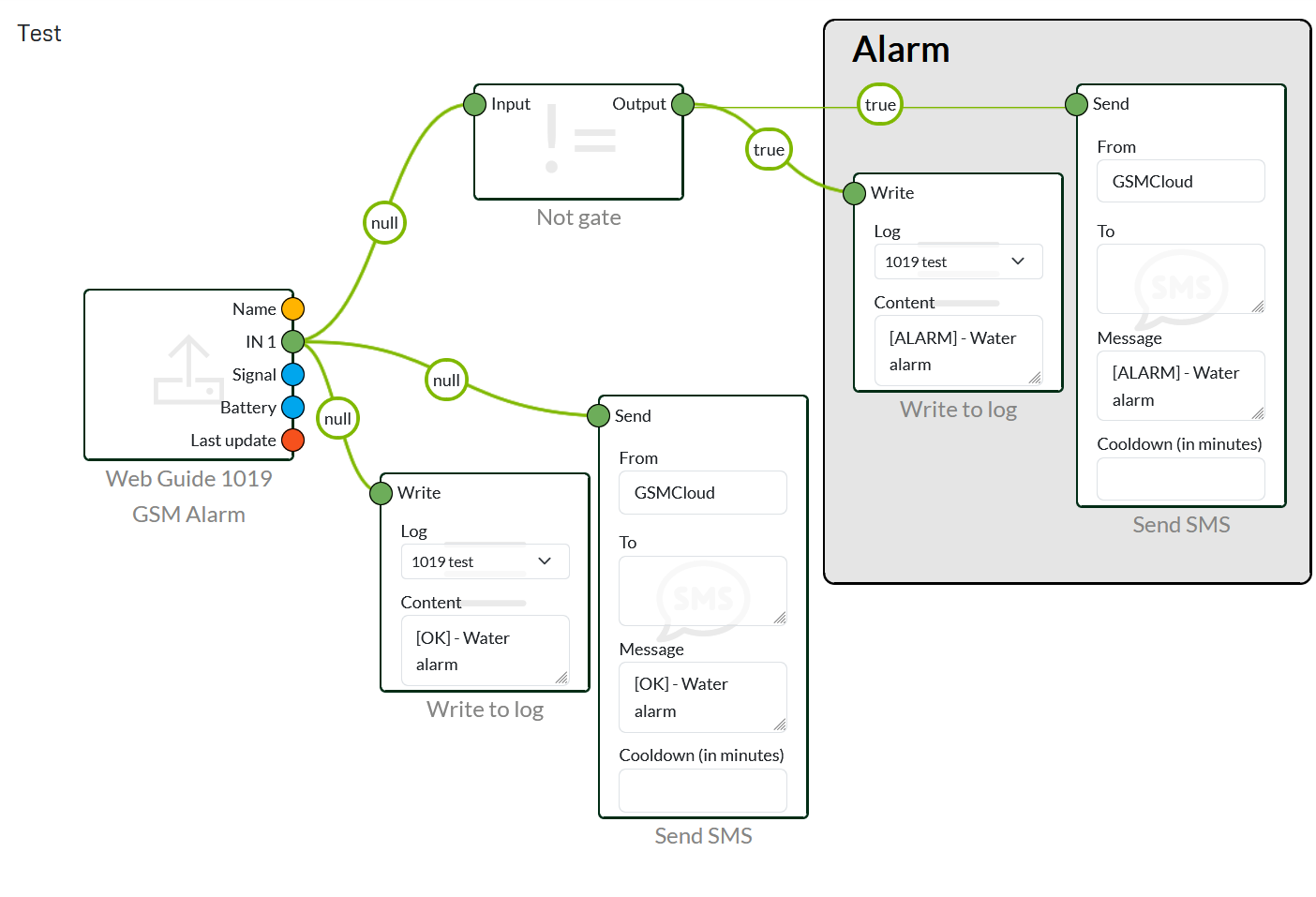
The area labelled "alarm" is the new "annotation" we've added - where you can now create areas with comments. 

1019 floater alarm basic1019 floater alarm basic annotations

Alert

Under settings, we have added a new Alert system - where you can enter your email or phone number and receive status messages. Among other things, you get automatic messages regarding the device's connection, battery level, lost power and low signal.

If you still want to be more flexible in terms of power level, it should still be done in a flow. The same should be done in relation to creating your own status messages.