We are excited to announce a major update to our platform's core features and user interface today! Therefore, there will be a period today where there may be short interruptions or temporary downtime. Our team is working hard to ensure that you can quickly continue your work routines without interruption.
Start
Friday, June 16, 2025 - 14:00 (GMT+2)
The end
Friday, June 16, 2025 - 16:00 (GMT+2)
News for all users
Grouping & Organisation
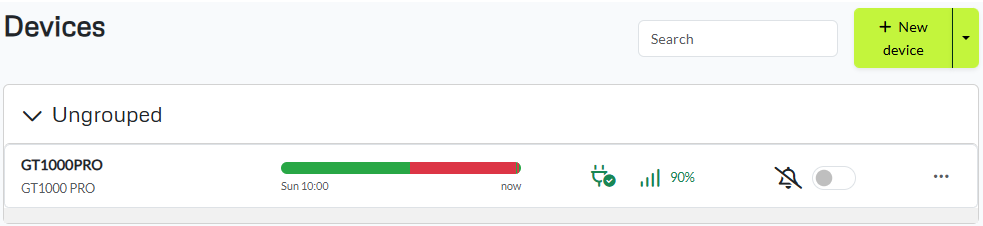
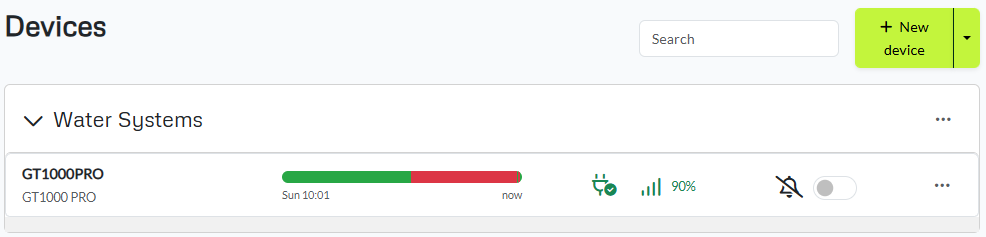
As we see projects getting bigger and bigger with more devices, flows, dashboards and variables. A feature has been developed to group these different things! Easily group your things for a more intuitive navigation and systematic setup with easy access for everyone.
What about Variables in Flows?
We found that having to scroll through a lot of variables was becoming more and more tedious. Now it's finally quick and easy - you can search, create a new variable from the top and group everything as you like.
Fresh New Design
We've updated our design. Newly refreshed with streamlined menus and cleaner layouts so you can quickly find what you need. Plus, you can now mix-and-match more than ever as you please.
There is a new design for all project pages, which means Flows, Logs and Dashboard. As well as a new design for how things look in flow in relation to variables.
Live status bar
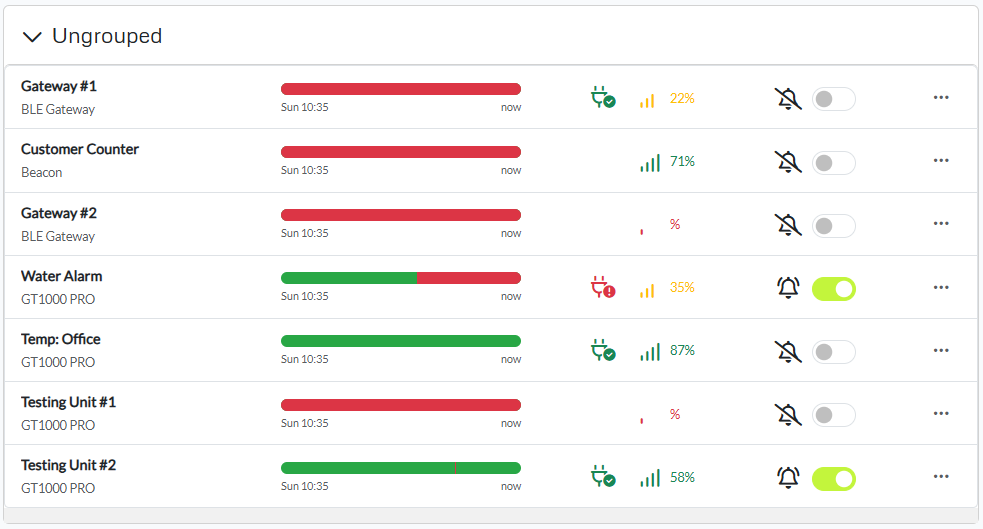
Keep an eye on device health over time with our new status bar-see real-time uptime trends and performance metrics.
Plus, you will have the option to switch on alerting.
Automatic Alarms
Get instant notifications when a device goes offline, loses power, or detects poor signal so you can act quickly.
New Graph widget
Our upgraded graph widget provides even better data visualisation.
(Note: you must delete and reinsert existing graphs to get the new widget - you can reuse all your existing variables).
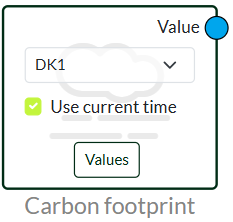
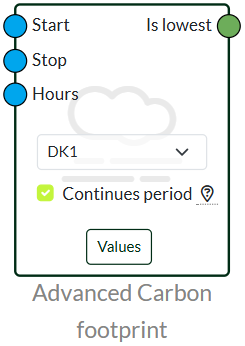
Using this node, you can see your C02 consumption. And you will only set your device to switch on or off if CO2 is too high at any given time.
Optional image widget
You now also have the option to add your own optional images to your Dashboard.
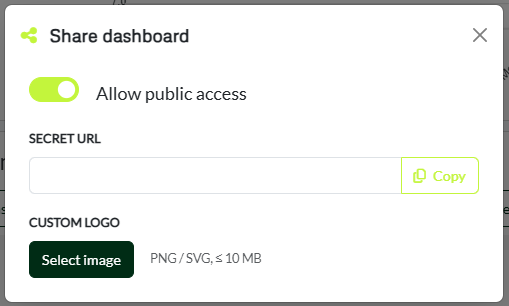
Custom logo
As a premium user, you now have the option to use your own logo in your Dashboard. You can add your logo when you share your Dashboard with staff or customers.
We apologise for any inconvenience during maintenance and thank you for your patience and understanding. Our goal is always to improve stability, usability and functionality-and this update is a big step in that direction.
If you have any questions, need help during or after the update, or want to give feedback, our support team is ready to help you.
We've detected you might be speaking a different language. Do you want to change to:


 Dansk
Dansk  English